-Photoroom.png)
How to Declutter Your Outlook Inbox in 10 Minutes?
- Aug 15, 2025
- 2 min read
Too many emails fighting for your attention? A cluttered inbox can bury critical messages and waste time. Outlook has built-in features that can clear the chaos fast.
Here’s how to reclaim your inbox in just 10 minutes.
What Tools Can Help You Declutter?
Outlook comes with several features designed to keep your inbox clean and focused:
Rules and Filters - Automatically sort incoming mail into folders.
Focused Inbox - Separate high-priority emails from the rest.
Quick Steps - Apply multiple actions with one click.
Clean Up Tool - Remove redundant messages from long threads.
In the new Outlook, tools like Clean Up are easier to find and use right out of the box.
In the classic Outlook, they’re still available but may be tucked away in menus.
When to Use These Tools
You’re overwhelmed by newsletters or automated emails
You miss important updates because your inbox is too full
You need quick organization without creating complex rules
You want to cut down on manual sorting and filing
How to Declutter in 10 Minutes
Step 1 - Turn On Focused Inbox
Classic Outlook: Go to View > Show Focused Inbox.
New Outlook: Focused Inbox is enabled by default; adjust under Settings > Mail > Layout.
Outlook Web: Go to Settings > Mail > Layout > Focused Inbox.

Step 2 - Create a Rule for Low-Priority Mail
Classic Outlook: Right-click an email → Rules > Create Rule.
New Outlook: Rules are under Settings > Mail > Rules.
Outlook Web: Same as New Outlook (Settings > Mail > Rules).

Step 3 - Use the Clean Up Tool
Classic Outlook: Available under Home > Clean Up to remove redundant messages.
New Outlook: Not available (feature removed).
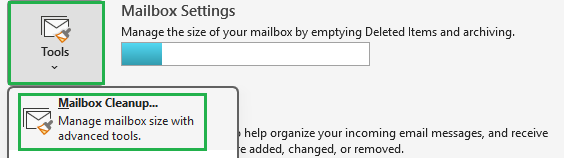
Outlook Web: Offers Sweep and Clean Up Mailbox (for deleting old/large emails, not thread cleanup).
Step 4 - Try a Quick Step
Classic Outlook: Go to Home > Quick Steps to create custom actions.
New Outlook: Quick Steps are not yet supported.
Outlook Web: No Quick Steps, but you can use Rules for automation.

Step 5 - Repeat Weekly
All Versions: Set a recurring reminder in Outlook Calendar or To Do for a 10-minute cleanup.
Why It Matters
A well-organized inbox saves time, reduces stress, and helps you spot important emails immediately. Whether you’re on Classic Outlook, New Outlook, or Outlook Web, using these tools to declutter your inbox can transform your emails from overwhelming to manageable.
At Echo Transformation
We help teams unlock the full potential of Microsoft 365 turning small tweaks, like Outlook cleanup, into big productivity wins.
Need help making Outlook work harder for your team? Book a call with us today.


Comments